Food court POS with centralised billing — one bill, many kitchens
The guest wants biryani from one stall and pizza from another. QuickKOT takes one payment, splits the kitchen tickets, and puts a token on pickup. Built for mall food courts, airport F&B, and any court that still stitches GST bills by hand.
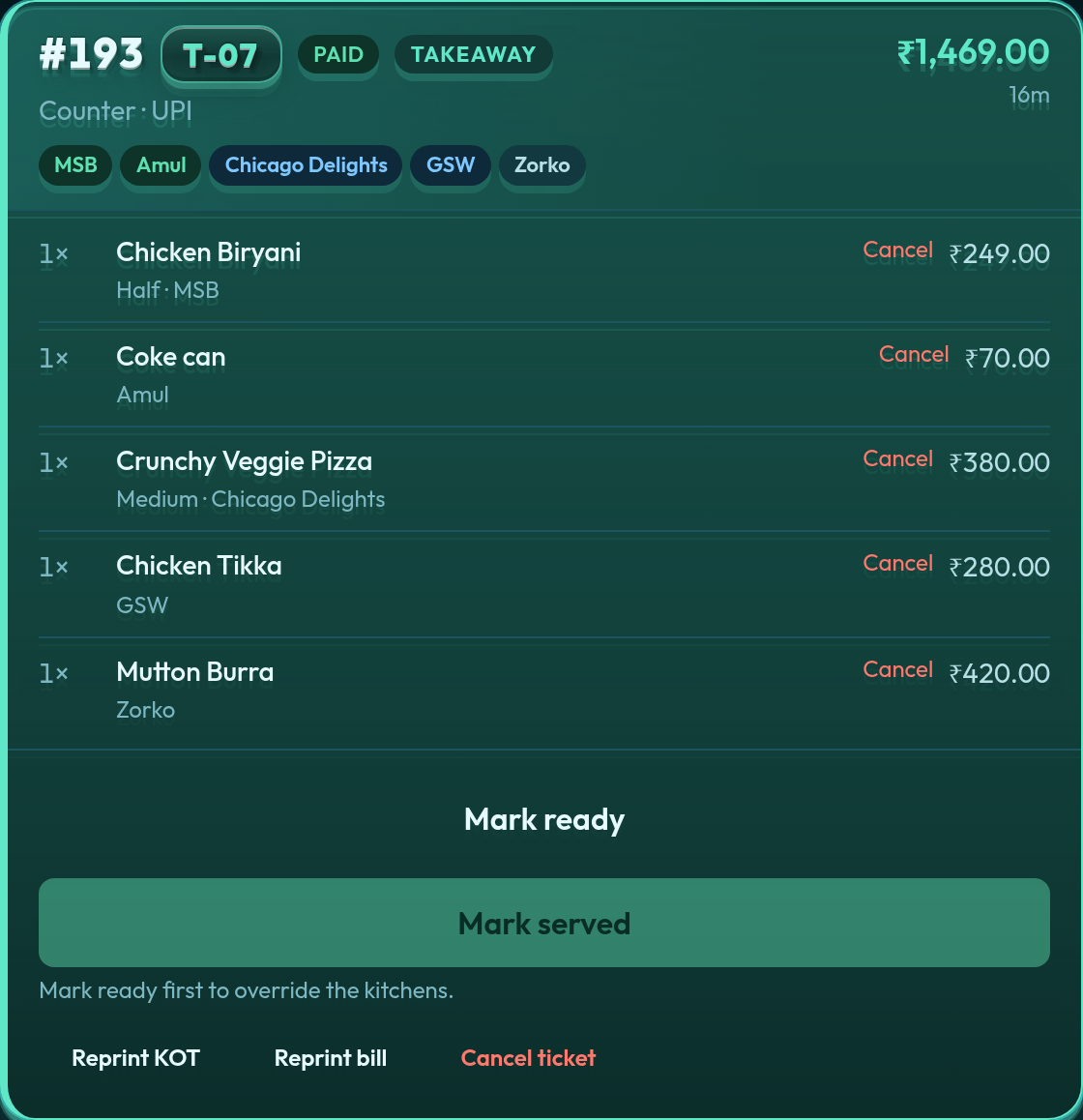
Court manager ticket in Aqua: one paid takeaway, token T-07, stalls MSB / Amul / Chicago Delights / GSW / Zorko — then Mark served.
What Indian food courts still get wrong
Walk a metro mall on a Saturday and the gap is obvious. Each stall has a notepad or a cheap local till. The guest — or the court operator — is left to add two GST bills, two FSSAI lines, and a payment that never quite matches what the kitchens cooked. Pickup is shouting a name across three counters.
Generic café POS assumes one kitchen. A food court is not a café. It is many kitchens that must not see each other’s tickets, and one guest who will not wait for three invoices. That is centralised billing.
How QuickKOT runs the court
On Premium or Enterprise, choose billing model Centralised. One POS at the court counter, many kitchen stations. Every category belongs to exactly one stall. An order for biryani + pizza splits on its own: MSB only gets biryani; Chicago Delights only gets pizza. The guest still pays once — cash, card, UPI, or a split. Each stall’s slip is a kitchen order ticket, not a copy of the whole court.
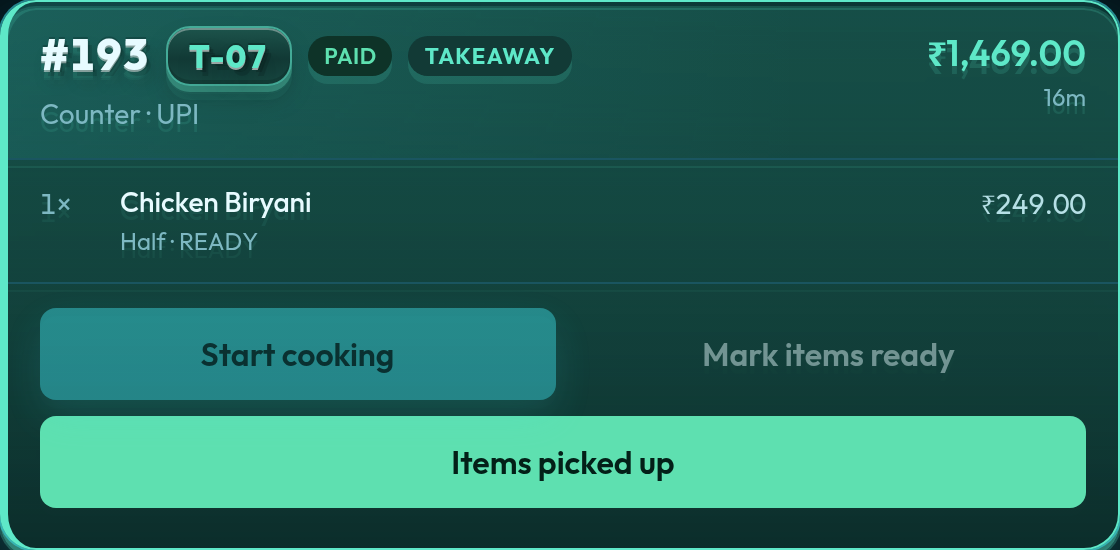
The stall tablet in Aqua: MSB kitchen ticket. Chicken Biryani only. Start cooking, mark ready, items picked up.
Station logins see only their kitchen display. The court manager does not mark served until every stall has handed off. That is the opposite of a shared WhatsApp group.
Token Display, not shouting
Food courts live on tokens, not table numbers. After payment the ticket carries a token (for example T-07). Token Display is the public pickup board: a kitchen appears next to the token when that stall marks items ready. Guests watch one screen instead of three stall TVs.
GST and FSSAI that survive an inspection
The bill is one guest invoice: restaurant name, address, FSSAI, GSTIN, tax rates you control. When stalls are separate registrants under the same court, Premium and Enterprise can show distinct station totals on that invoice. Daily reports stay stall-wise so the court operator can see MSB versus pizza without opening five Excel files. Paying each stall is a different job — vendor payout settlement keeps those accounts clean without rewriting the guest bill.
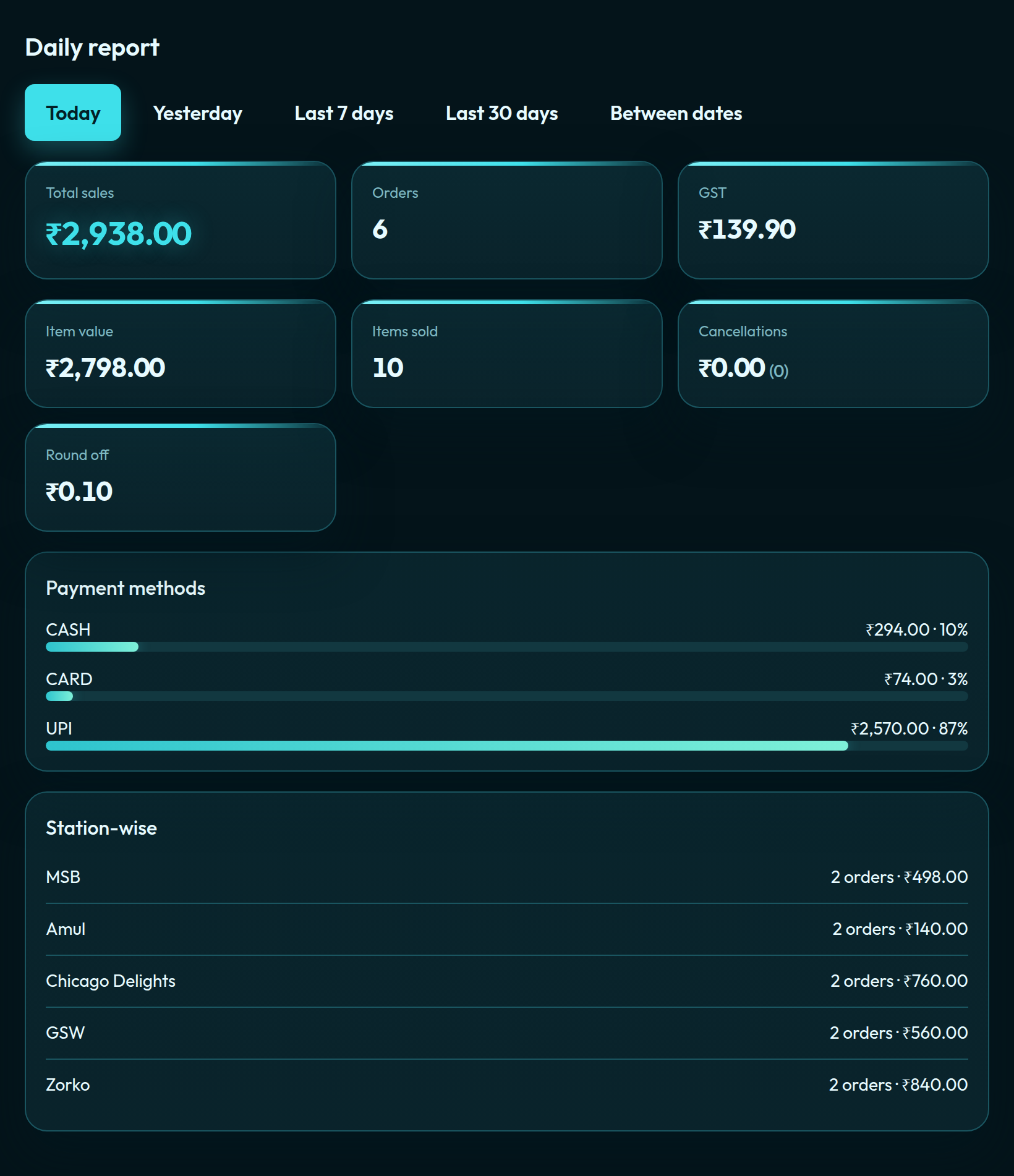
Daily report in Aqua: total sales, GST, UPI / card / cash, then stall-wise rows for every kitchen in the court.
Who this is for
Mall food courts, hotel food halls, airport and railway F&B, college canteens with more than one counter, and any operator who needs one bill and many kitchens in the same property. Delhi NCR, Mumbai, Bengaluru, Hyderabad, Pune, Ahmedabad, Chandigarh — the floor is the same: stalls, tokens, UPI. Guests who should not queue at every stall can order on the QR menu and still land on split kitchen tickets.
If each “stall” is actually a separate company with its own door and its own P&L across cities, that is a restaurant chain — use Multi-Outlet, not centralised billing. If you run one dining room with one kitchen, start on restaurant POS. Hotels with several restaurants on one stay should read hotel POS.
Not a food court?
Same product, different billing model. Pick the floor you actually have.
The guest pays once at a court counter. Each stall only receives its own kitchen ticket. QuickKOT prints one GST invoice and splits KOTs by station.
Can each stall show its own GSTIN on one bill?
Yes. Premium and Enterprise food-court bills can carry distinct station totals and GSTIN / FSSAI lines on the same guest invoice when kitchens are separate registrants.
Is a food court the same as a restaurant chain POS?
No. A food court is one property and one guest check. A chain of separate restaurants needs Multi-Outlet — distinct tills that do not share tickets.
Which plan do food courts need?
Premium and Enterprise include the same features: QR guest menu, tokens, Token Display, and centralised billing. Premium starts at two kitchens and three users; extra kitchens are ₹499 / month and extra users ₹199 / month. Enterprise starts at five kitchens and ten users.
Testimonial
From the floor
“What was managing Shimla QoH Food Court like before QuickKOT? Guests paid at different desks and the queues slowed eleven stalls. Biryani from one kitchen and pizza from another now come together as one bill. The rush is still there, but now it is much more organized.”
“Our counter used to get crowded in the evenings. With the QuickKOT kiosk, guests pick their flavours and pay on their own, so the queue moves faster and my staff can focus on serving.”
Mr Kamal Thakur Manager, Amul Ice Cream Parlour
The kiosk shortened our queue.
“Orders come in from the kiosk or the counter, reach the kitchen on the KDS straight away, and guests wait for their token number on the display. QuickKOT runs our whole flow, from order to pickup, without confusion.”
Mr Kapil Owner, Murg Shahi Baithak
From order to token, one smooth flow.
“The kitchen display, billing, kiosk and inventory all work together. Staff see orders on screen, guests can order themselves, and I can see my stock without counting by hand.”
Mr Arun Owner, Chicago Delights, Shimla
KDS, POS, kiosk and stock, all in one place.
“The KDS keeps the kitchen on track, the POS makes billing quick, and inventory shows us what is running low before we run out. It is simple enough for the whole team to use.”
Mr Manu Owner, Zorko, Shimla
Kitchen, billing and stock under control.
Run the court on one bill.
Leave your details on app.quickkot.com. Tell us how many stalls you run. We will set the kitchens and centralised billing with you.