The slow part of a busy Indian restaurant is rarely the tandoor. It is the counter: a guest reading the board, a cashier typing the same order, a queue that blocks the people who already know what they want. A QR menu is efficient when it removes that typing — and still sends a proper kitchen ticket.
QuickKOT’s guest menu lives on app.quickkot.com. The guest page is always Light, so diners do not inherit the restaurant’s POS theme. Staff keep Aqua (or whichever theme they run) on the till and on kitchen display.
What the guest actually does
They scan the code from Reports (the manager QR). Online categories are tiles you choose — not the whole catalog dumped on a phone. Items are stock-aware: if the cook is out of biryani, it is not orderable. Variants, sub-variants, add-ons, and notes match the POS, so the ticket the kitchen sees is the same language the cashier would have typed.
Checkout is two paths:
- Pay by QR — the guest pays on the UPI / payment QR the manager uploaded in settings. Success creates a real order. The kitchen ticket starts immediately.
- Pay at the counter — no payment yet. QuickKOT issues a random 4-digit hold for ten minutes. The guest walks to billing. Staff open Draft tickets, load the lines onto the POS, then collect cash / card / UPI as usual.
Pay-at-counter is the food-court and “I will pay when I pick up” path. Pay-by-QR is the skip-the-queue path. Both end on the same ticket model.
In a restaurant
One kitchen, dine-in or takeaway. The cashier is not a bottleneck for guests who already decided. After staff create the order, the public ticket page drops the 4-digit hold and shows the token (or bill number if the floor has no tokens) plus live kitchen status: received, preparing, ready, picked up. When a kitchen marks ready, the guest sees Please visit the counter to collect your order with that station named. They are not hovering at the pass asking if it is done.
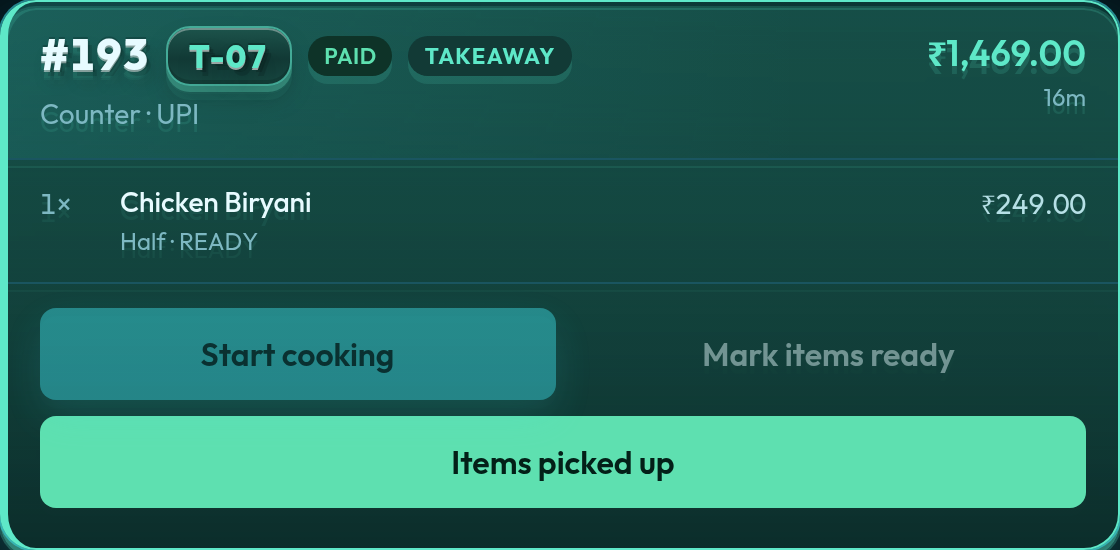
QR menu is included on Premium and Enterprise — the same feature on both plans. Enterprise does not add a different QR; it starts with higher kitchen and user caps. Email support@quickkot.com if an Economy restaurant needs QR, or to turn it off on Premium. Basic does not include it — a small café can still run a fast counter without QR; see the café use case.
In a food court
This is where QR earns the floor. The guest wants biryani from one stall and pizza from another. A paper menu at each counter means two queues and two bills. On QuickKOT centralised billing, the public menu can expose several stalls as online categories. The guest builds one cart. They pay once — or take one 4-digit hold to the court counter.
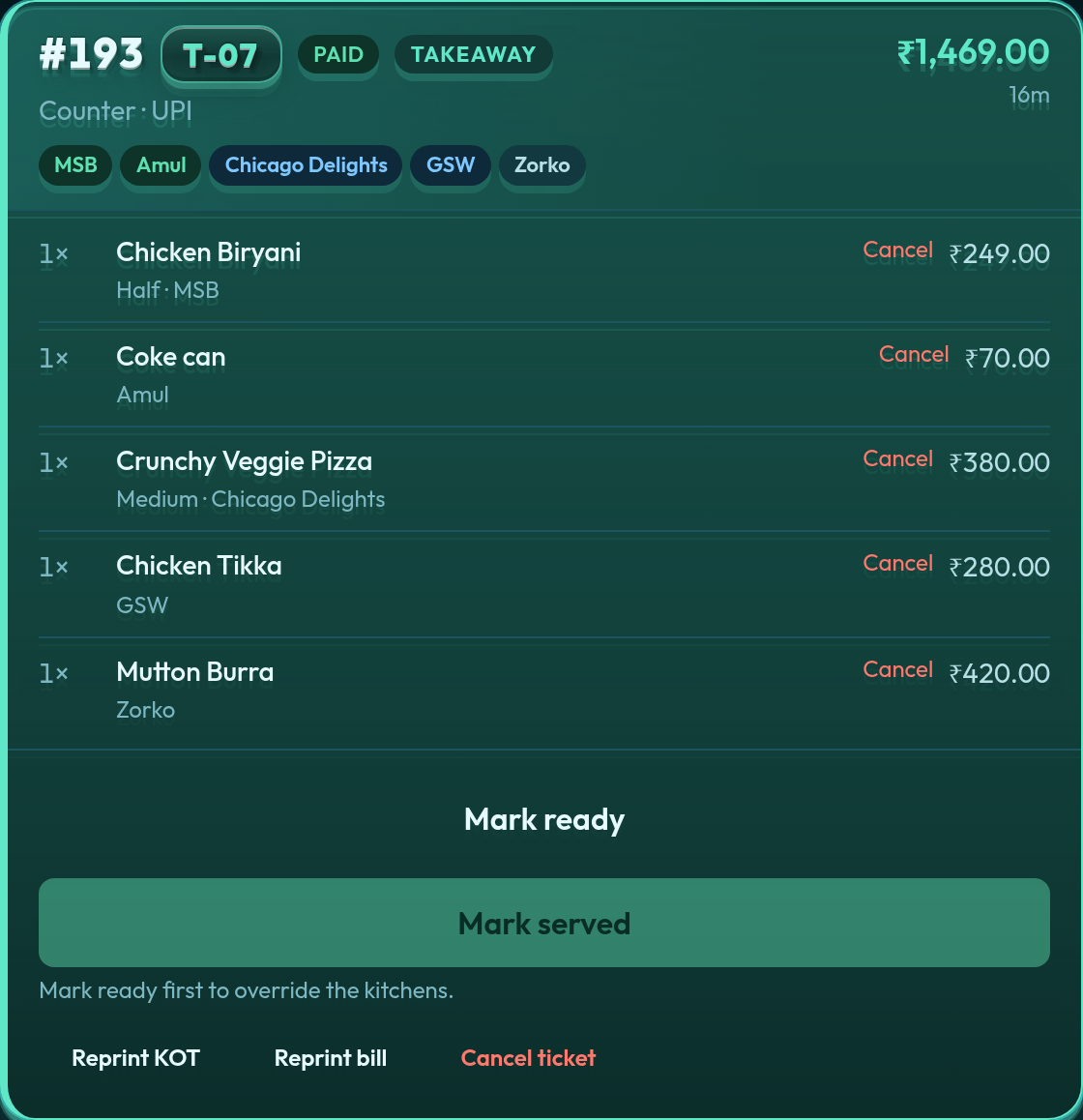
KOTs still split: MSB only sees biryani; Chicago Delights only sees pizza. Token Display still lights the stall when that kitchen marks ready. The QR layer did not invent a second POS — it only stopped the court cashier from keying the order while the guest stood there.
What the operator sees after close
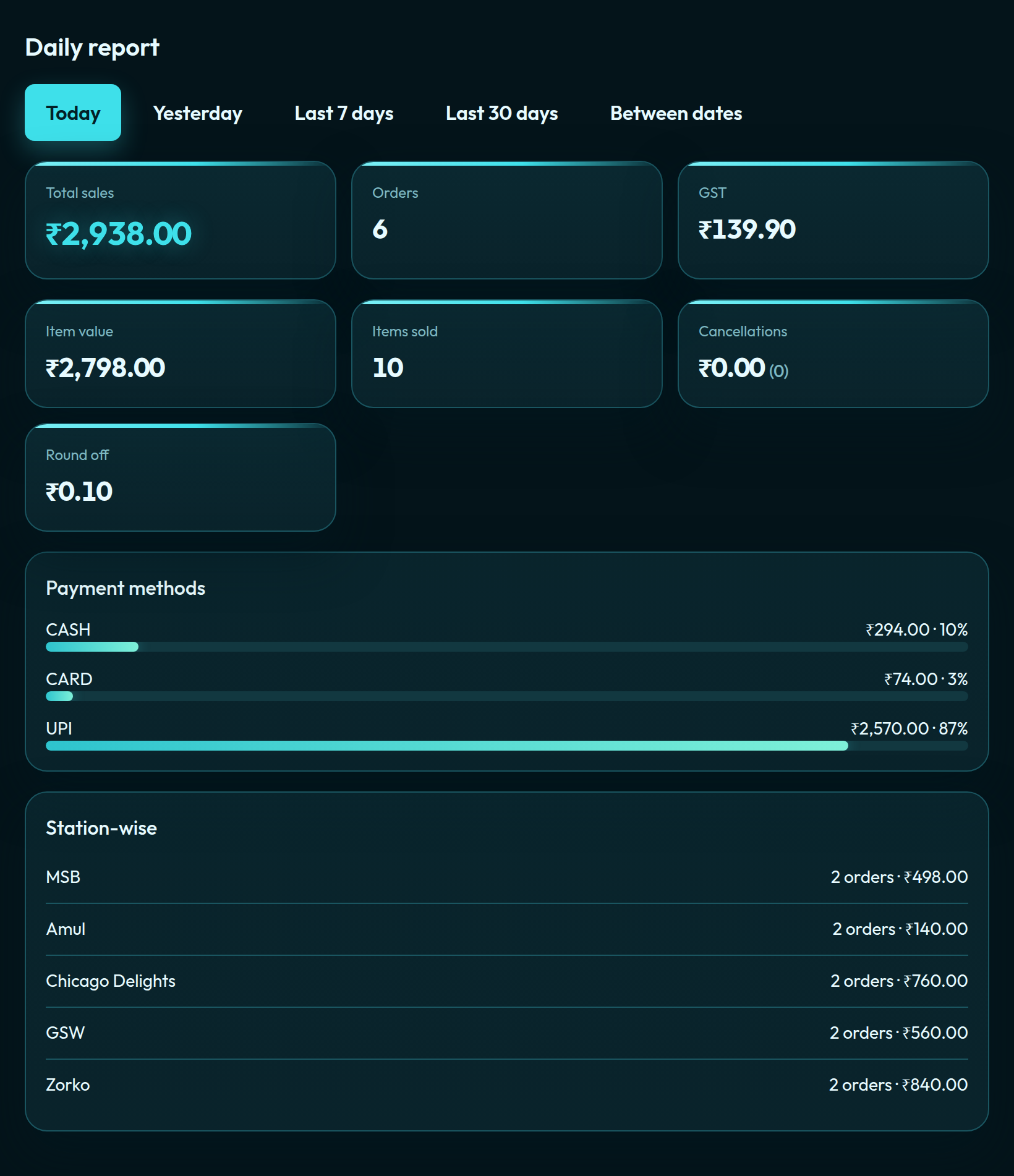
Reports stay the same Aqua daily board — sales, GST, UPI / card / cash, station-wise rows in a court. Managers who have QR on also get the QR funnel on that page: scans, carts, drafts, conversions. That is how you tell whether the code on the table is actually saving the counter time, or just sitting on a standee.
QR menu is not a replacement for a cashier. It is a faster way to get a legal cart onto the same tickets a walk-up order would have produced. More: restaurant POS, food court POS, and plans.
Self-serve signup is opening soon. Leave your details at app.quickkot.com/signup, see plans, or write to support@quickkot.com.


