Home / Inventory Management
INVENTORY MANAGEMENT
Know what the kitchen still has, from the bill you just received
Only POS where you pay for only what you need. Orders, kitchen tickets, and the bill run the floor. Inventory Management is the add-on for the store room: who you buy from, what came in, what is left, the recipe behind each dish, a real time gross profit graph and report, and a supplier price comparison.
The people you buy from
Save a supplier once: the name, the numbers, the address. The next bill starts from that name, so the store room and the counter share one list.
The bill, in the kitchen the same day
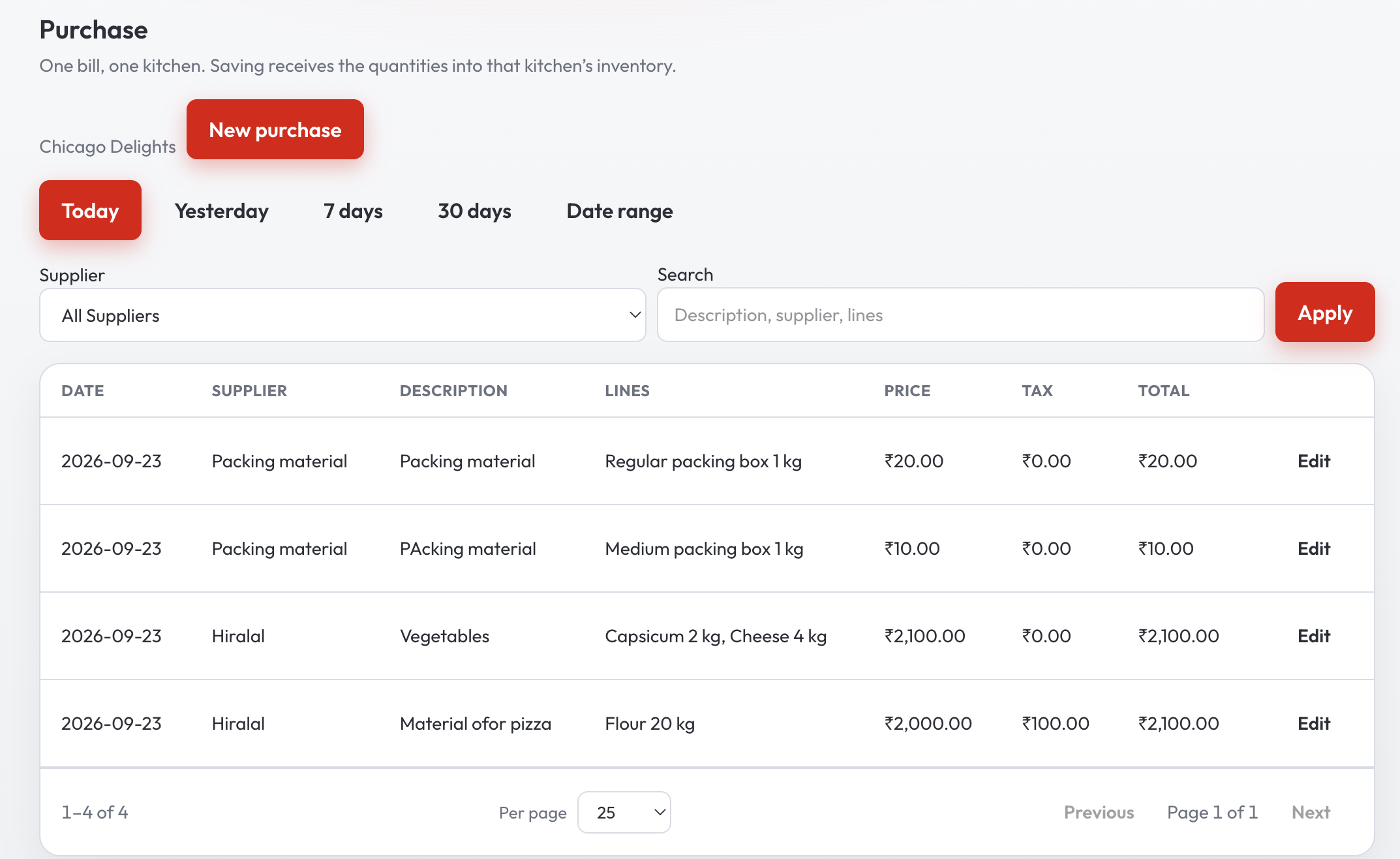
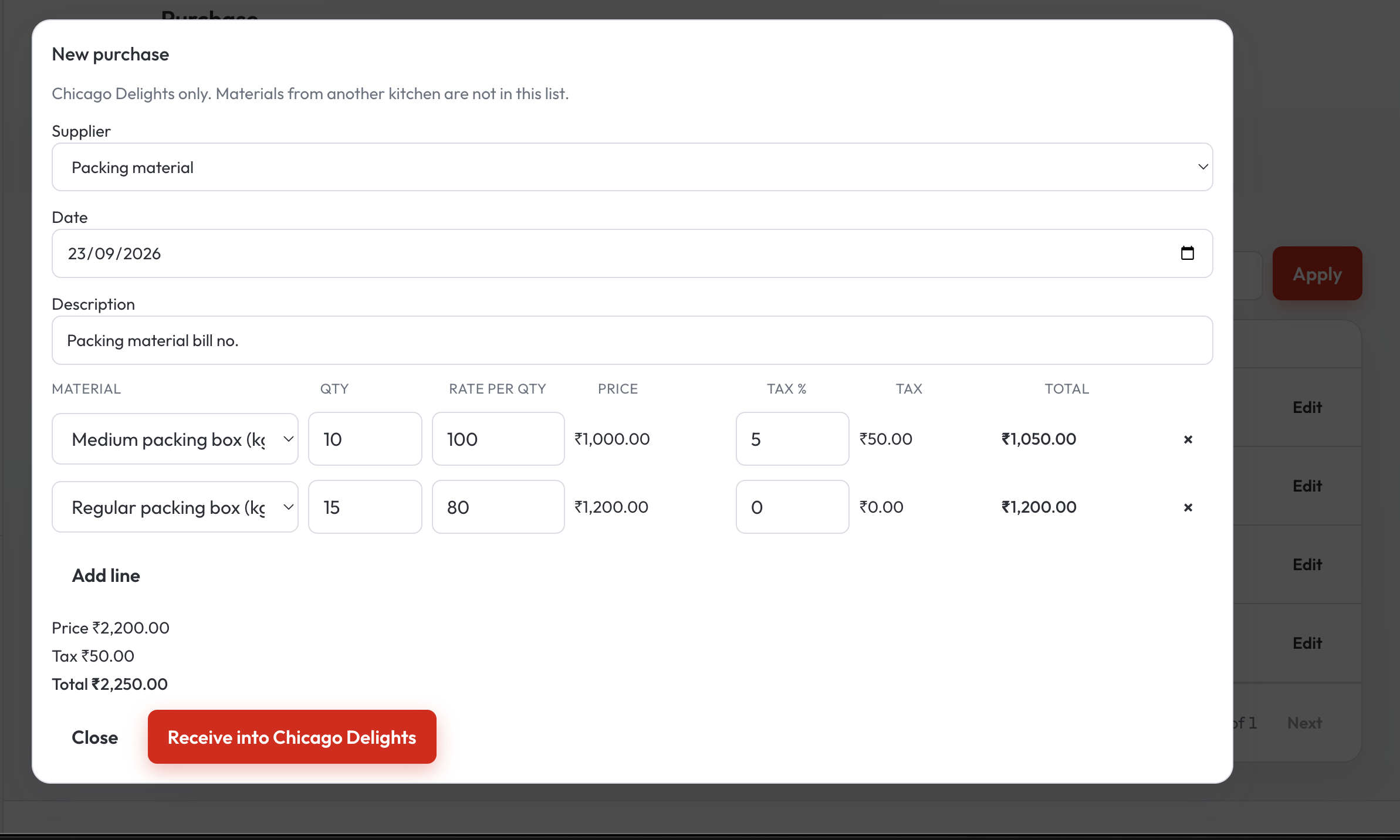
A purchase is the boxes, the flour, the oil — quantity, the rate, and the tax on that line. Saving the bill puts those quantities on hand for that kitchen. Find an old bill by today, yesterday, the week, or a date you pick, and open it again if the delivery was short.
What is still on the shelf
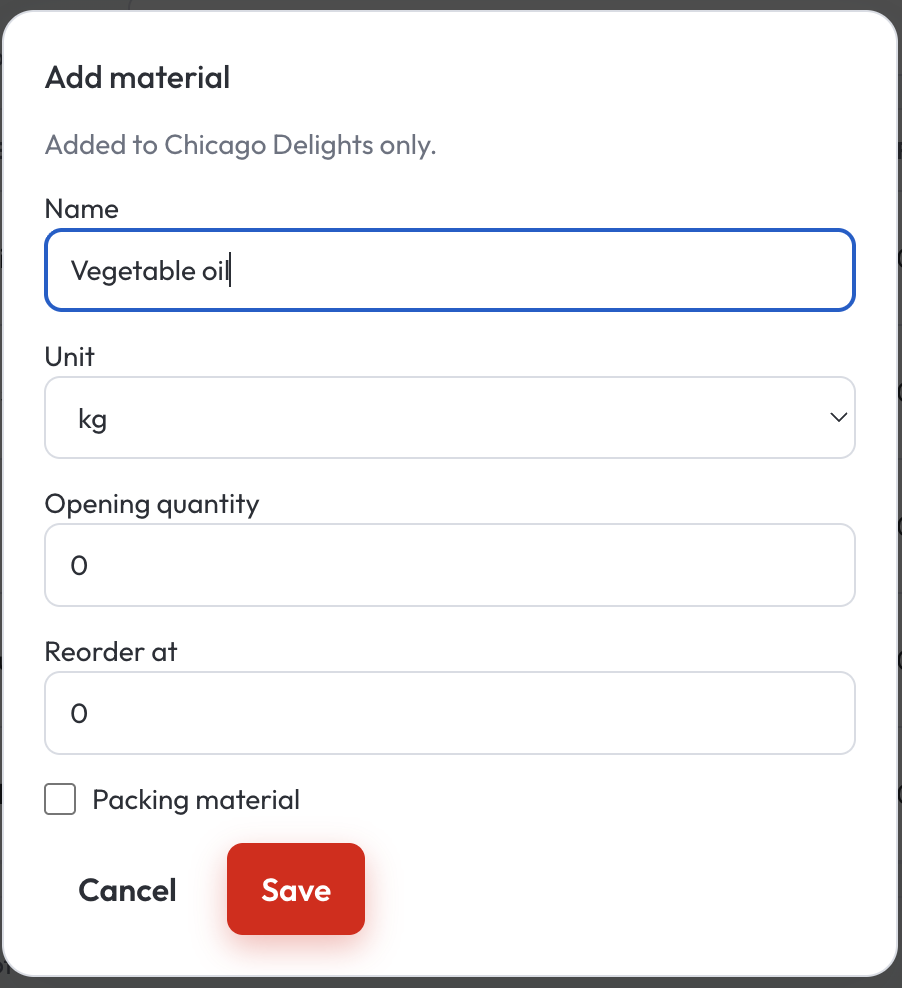
Each material has a name, a unit, and a point where it is time to reorder. Packing for takeaway sits with the rest, marked so a dine-in plate does not use the box. When the count is off, adjust it. When a material should leave the list, it can be set aside.
The recipe behind the dish
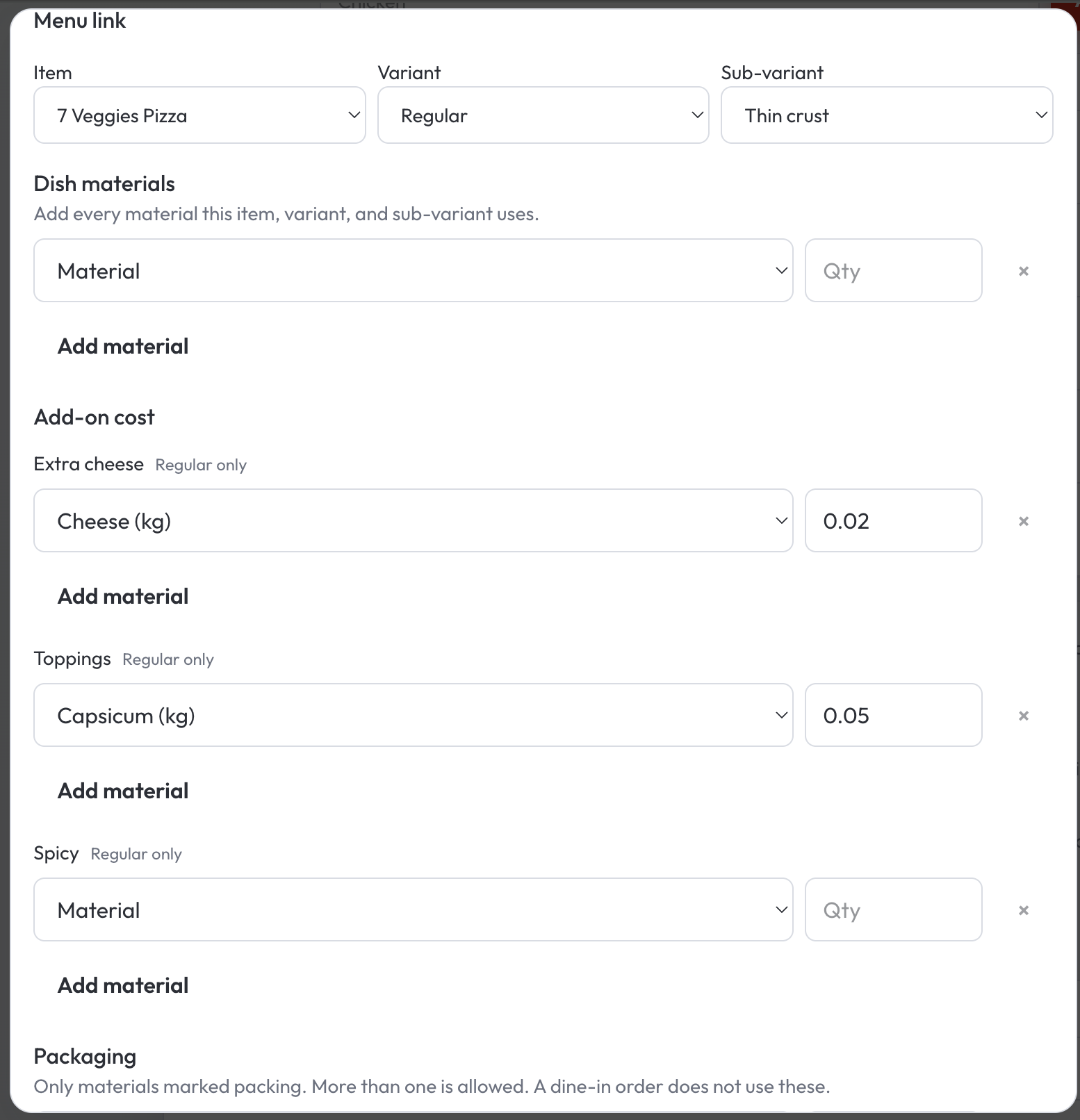
A pizza, a size, a crust: the dough, the cheese, the capsicum, and the box. The next similar dish can start from that recipe, so the kitchen is not typing the same flour line all afternoon. When the order is completed, QuickKOT keeps what that dish cost from the bills already on the books.
Real time gross profit, on the day
Sales without GST, minus the cost of the materials those sales used. The graph draws three bars — sales, material cost, and gross profit — for today, the last 7 days, 30 days, or dates you pick. Open a day to see what sold and which materials it used. Search one dish when you want that plate alone. The cost is the purchase rate saved when the order is completed, so tomorrow’s bill stays with tomorrow.
The floor story is real time gross profit.
What each supplier charged
The same oil can arrive from three traders at three rates. Procurement lists each material by the day it arrived, latest day first. A row is one material from one supplier on that day, with the price per unit and how many times you have bought it. Open the row and the graph draws one color bar per supplier for the last 30 days. The price sits on the vertical axis. Hover a bar for that purchase price and its date. The dates can move within 3 months, and a day stays on today or earlier. You still choose the next supplier. The comparison is the history of what you already paid.
The store-room story is supplier price comparison.
Inventory Management is an add-on. The floor keeps running on the plan you already pay for. Write to support@quickkot.com when the store room should live in the same system. A walk-through of the screens is in Complete Inventory Management.
Inventory Management — questions
Do I need Inventory Management to run the floor?
The floor runs on your plan: orders, kitchen tickets, and the bill. Inventory Management is the add-on for the store room, when the house is ready for it.
What does Inventory Management show?
Who you buy from, the bills you receive, what is still on hand, and the materials each dish uses. Gross Profit is the real time graph and report: sales without GST, the cost of materials those sales used, and gross profit for the days you pick. Procurement compares supplier prices: one bar per supplier, with the price and the date on the graph.
Is Inventory Management a separate product?
It is an add-on on QuickKOT. Same sign-in, same kitchen. Write to support@quickkot.com to add it. Plans for the floor are on pricing.