BLOG · 20 Sept 2026

Self ordering Kiosk for restaurants and cafés: photos, pay at the stand, less queue

← All notes

Free POS for restaurants still starts on Basic at the counter. The Self ordering Kiosk feature is for the Saturday queue: a floor stand that lets the guest pick the dish while the billing counter stays on tokens and pickup.

It is an add-on on Economy, Premium, and Enterprise — not a self-serve toggle, not on Basic. We set the stand and the payment checkout with you. Write to support@quickkot.com.

Restaurant and café automation

The cook should not wait for someone to re-write the order. The guest taps dine-in or takeaway, builds a cart, and the kitchen ticket already has the station, the variant, and the note. Staff keep the counter for bills and food, not for typing samosa × 2.
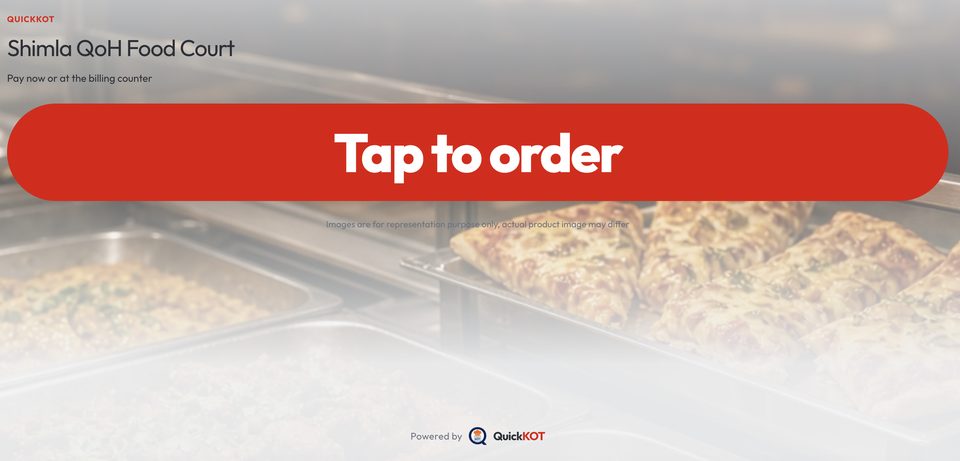
QuickKOT kiosk Tap to order attract screen
Tap to order is the first thing a guest sees from across the floor.

A menu they can actually tap

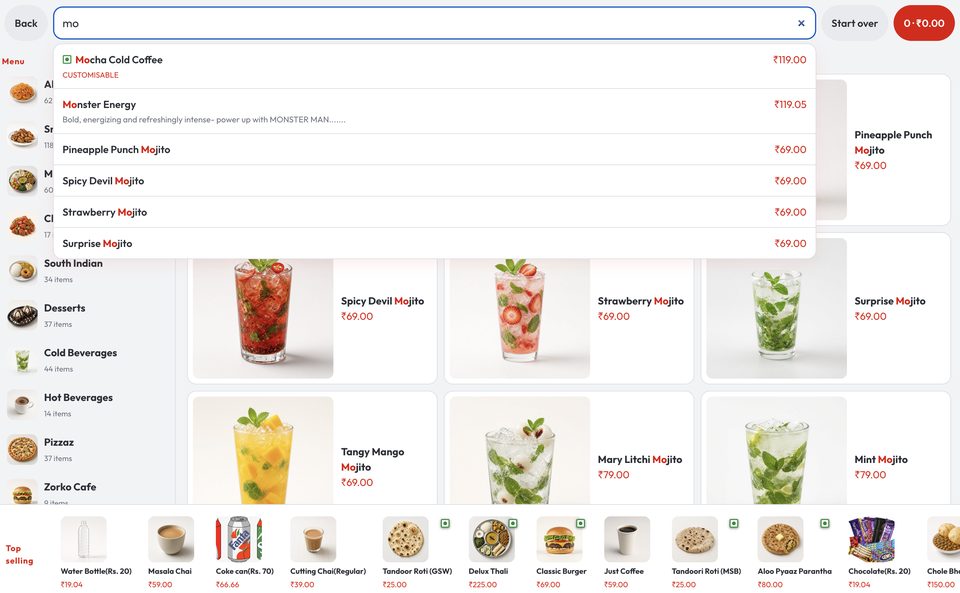
Phone QR is one path. A stand is another: left-hand categories, photo tiles, search when they already know “mojito”, and a tap-through dish for size and add-ons. Veg / egg / non-veg marks stay on the item. Top selling sits on the bottom rail so a first-time guest is not lost in 60 breakfast SKUs.
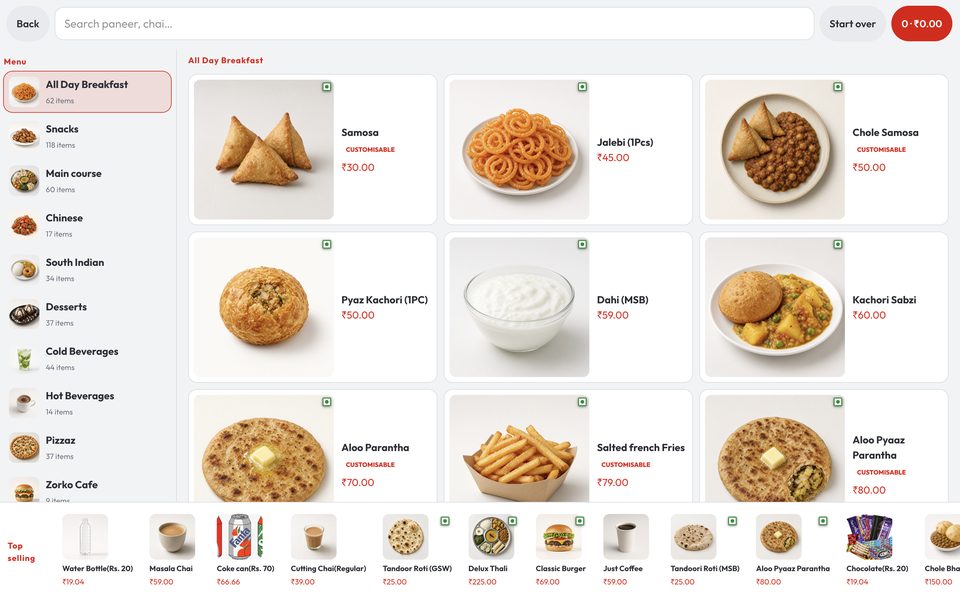
Kiosk browse with category rail and dish photos
Browse: categories on the left, photos in the middle, top selling on the rail.
Kiosk search results for mojito
Search when the guest already has a name.
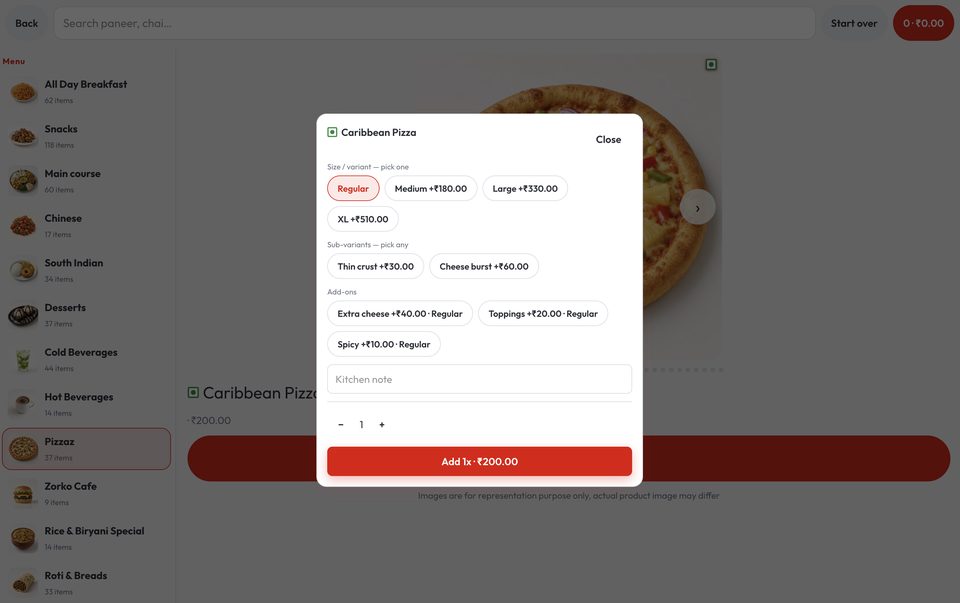
Kiosk customize panel for pizza size and add-ons
Customize on the glass: size, crust, extra cheese — then add to the order.

Ease the rush-hour crowd

One queue that both decides and pays is the slow queue. The stand splits it. People browse and pay. Staff call tokens and hand over food. After idle time the stand returns to Tap to order so the next guest is not staring at someone else’s cart.

Payment you configure

Pay now opens the house payment gateway. UPI and card follow what that account has on. Cash is not taken on the stand — it stays at the billing counter. A paid order is a POS ticket with a token — the kitchen starts, the guest watches the token board.
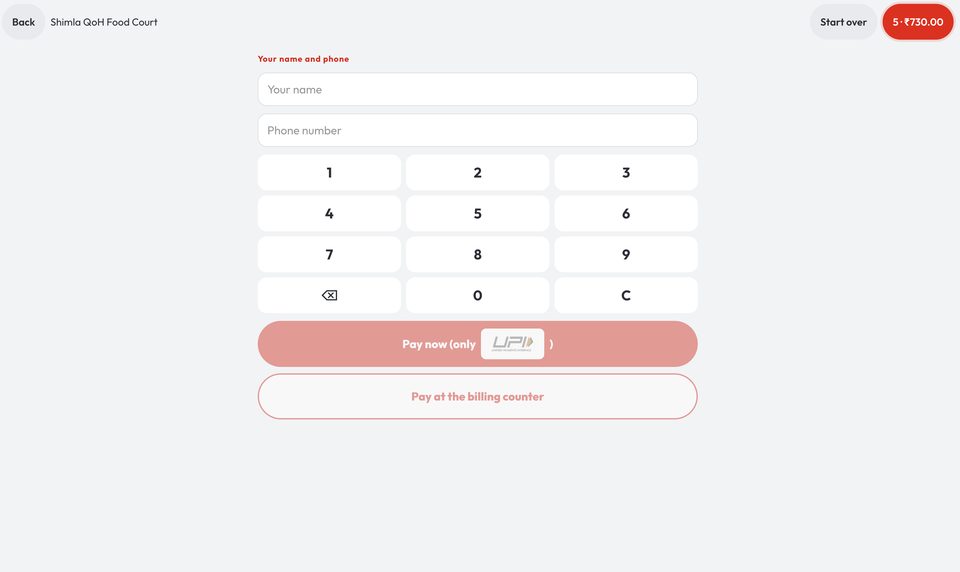
Kiosk checkout with Pay now and pay at the billing counter
Pay now, or pay at the billing counter — the house chooses what is live.

This is not a second POS. It is the same tickets, on a stand, for restaurants and cafés that already run QuickKOT. More on the kiosk page, restaurant POS, and plans.

Get Kiosk menu integration: support@quickkot.com.

More from the floor: How to use the Self ordering Kiosk on the restaurant floor · Kitchen prep time: measure the clock from ticket to ready · Vendor payout settlement for food courts, canteens, and hotels

Testimonial

From the floor

Q: What was managing Shimla QoH Food Court like before QuickKOT?

A: We run eleven stalls, so things can get pretty busy, especially during rush hours. Before QuickKOT, it felt a bit all over the place because guests had to pay at different desks, and the queues would slow everything down.

Q: What changed after using QuickKOT?

A: The whole process became much simpler. Guests can order biryani from one kitchen and pizza from another, but it still comes together as one bill. That made ordering easier for customers and handling orders easier for us.

Q: How has the Token Display helped?

A: It has made pickup a lot smoother. People just take a number, watch the screen, and collect their food when it is ready — no more shouting names across the hall.

Q: What about the QR menu?

A: The QR menu has helped too. Guests can scan, build their order, and come to the counter when they are ready, which takes a lot of pressure off the stalls.

Q: Overall, how would you describe the impact?

A: QuickKOT has made the entire food court feel calmer, smoother, and easier to manage. The rush is still there, but now it is much more organized.

Shimla QoH Food Court shimlafoodcourt.com

Open a restaurant in a few minutes.

Google or email signup on app.quickkot.com. Start on Basic, upgrade when the floor needs KDS, reports, or more kitchens.

Create your POS